How Professional Video Editing Helps Businesses Get More From Their Content
 By Techspeak Team
October 9, 2026
8 min read
By Techspeak Team
October 9, 2026
8 min read
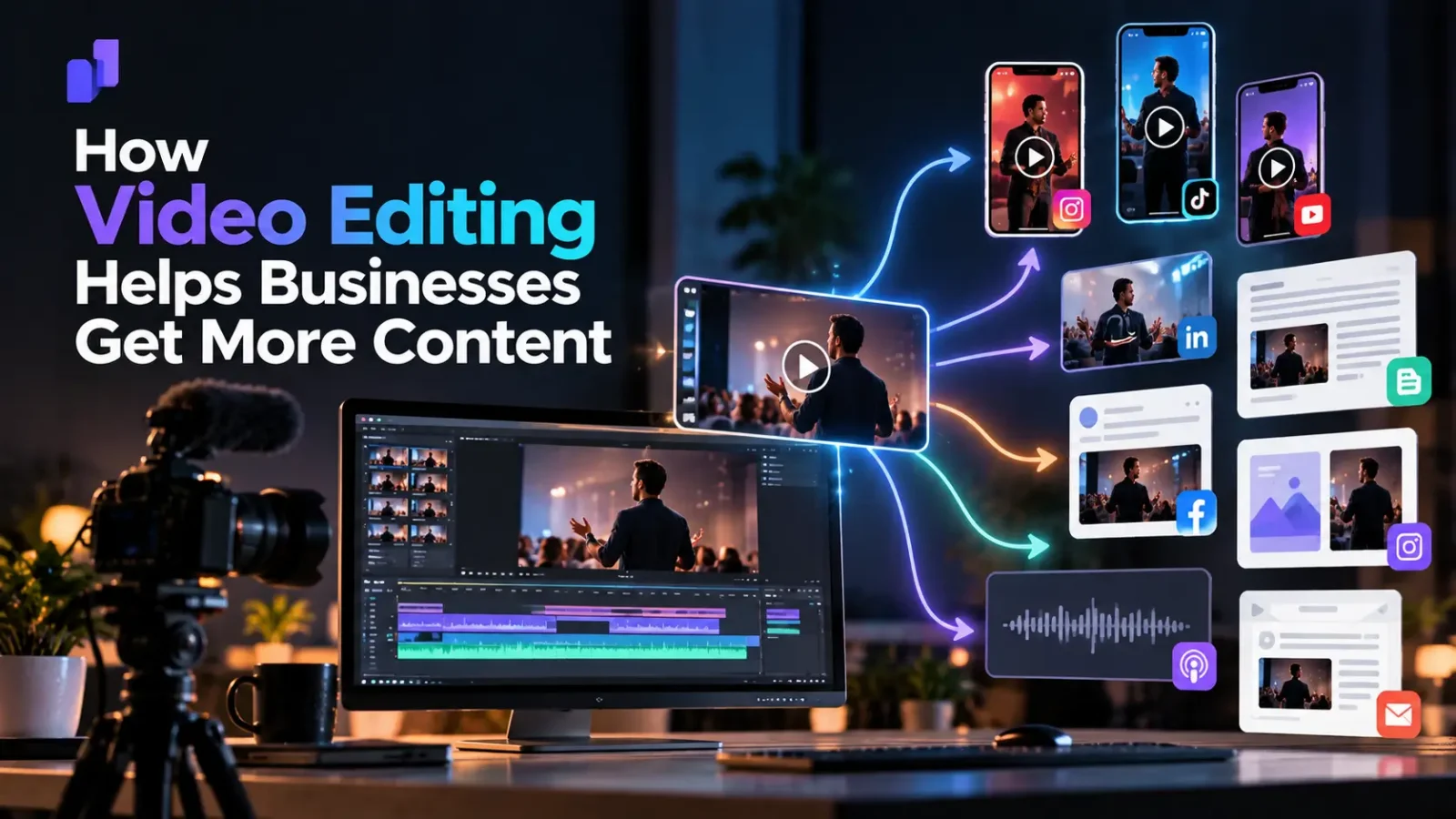
Professional video editing helps businesses get more from their content by turning raw footage into clear, branded videos that hold attention, work on each platform and can be reused in several formats. Editing is not just trimming: it shapes the message, the pacing, the first few seconds, the captions and the format of every video you publish.
Many businesses already record webinars, interviews, product demos, podcasts and training sessions. The footage exists. What is often missing is the step that makes it watchable, shareable and reusable. This guide explains what editing actually does, what changes between raw and edited video, what editing cannot fix, and how to tell when it is worth getting help.
What video editing actually does (beyond cutting clips)
When people hear “video editing” they picture removing mistakes. For business content, the job is wider. A good editor decides:
- What stays and what goes, so the video makes one clear point instead of wandering
- How it starts, because viewers decide quickly whether to keep watching
- How it sounds and moves, through pacing, audio clean-up, cuts and graphics
- How it looks like your brand, through consistent fonts, colors, logos and intro/outro treatment
- How it fits the platform, such as vertical for Reels and Shorts, or widescreen for YouTube and your website
- How it can be reused, by marking the strongest moments for clips and other formats
None of this changes what you said. It changes how easily someone can take it in.
Raw footage vs edited video: what changes
The same recording can serve very different purposes depending on how it is edited. The table below shows what typically changes at each level.
| Raw footage | Lightly edited | Professionally edited | |
| Clarity | Includes pauses, repeats and tangents | Obvious mistakes removed | Structured around one message with a clear flow |
| Opening | Starts when recording started | Trimmed start | Deliberate opening that tells the viewer why to stay |
| Pacing | Follows the speaker’s natural rhythm | Some dead air removed | Tightened throughout, with visual variety |
| Audio | As recorded | Volume balanced | Cleaned and balanced; music or voice treatment where needed |
| Branding | None | Logo added | Consistent look: fonts, colors, lower thirds, end card |
| Captions | None | Auto-captions, unchecked | Reviewed and styled captions |
| Platform fit | One format only | One format | Versions for each platform you publish on |
| Reuse | Hard to find usable moments | Limited | Clips and assets planned from the start |
Light editing is often enough for internal videos. Public-facing content that represents your brand usually benefits from more.
Six ways editing helps your content perform
- Clarity and pacing. Most business videos run longer than the message needs. Editing removes filler, tightens explanations and orders ideas so viewers can follow them. A tighter video respects the viewer’s time.
- A stronger start. The first seconds decide whether someone keeps watching. An editor can open on the most interesting point, add a short on-screen title or lead with a question, instead of beginning with a slow introduction.
- Brand consistency. When every video shares the same look, intro style, captions and end card, your content feels like one body of work. Inconsistent videos can make a business look less established than it is.
- Platform-ready formats. A widescreen webinar does not work as a Reel. Editing reframes the shot, adds captions, adjusts length and exports the right format for each channel, so one recording can serve several platforms.
- Captions and accessibility. Many people watch with the sound off, and captions also help viewers who are deaf or hard of hearing. Reviewed captions, rather than raw auto-captions, avoid errors in names, product terms and numbers.
- More assets from one recording. A well-edited long video can be cut into shorter clips, quotes and highlights. This is where editing starts to affect your content volume, not just quality. We walk through the process in our guide to turning one long video into 10+ short videos (link when live).
See it in practice: one clip, three edits
| Raw | Final Edit | |
|---|---|---|
| Length | Approx. 20 minutes | Approx. 17 minutes |
| What was cut or changed | Original unedited footage | Color grading correction, logo added throughout the video, chapter title cards, animated sections, and text-based visualizations to explain the POSH policy |
| Format delivered | Mov | MP4, 1920 × 1080 (Full HD) |
What We Changed and Why
- Reduced the video length from approximately 20 minutes to 17 minutes by removing unnecessary pauses and sections for a more concise viewing experience.
- Color grading correction was applied to improve visual consistency, brightness, and overall professional appearance.
- Logo branding was added throughout the video to maintain consistent corporate identity.
- Chapter titles were introduced to clearly separate different sections and make the content easier to follow.
- Animations were added to make key concepts more engaging and visually appealing.
- Text-based visualizations were incorporated to simplify and explain important POSH policy concepts, making the information easier to understand and retain.
- Overall presentation was enhanced to give the training video a more polished, professional, and corporate look.
What editing cannot fix
Editing improves good source material. It cannot rescue everything:
- Poor audio. Heavy background noise or echo can be reduced but rarely removed completely, and bad sound makes viewers leave faster than bad visuals.
- No clear message. If the recording has no point, editing can only make an unfocused video shorter.
- Missing footage. An editor cannot add shots that were never recorded.
- No strategy. Without a goal and a place to publish, even a well-edited video has no job to do.
The practical lesson: a little planning before you record saves a lot of editing afterward.
Which business videos benefit most from professional editing
- Webinars and live sessions, which are long and often contain material worth turning into clips
- Podcasts and interviews, where the strongest moments are buried in a long conversation
- Product demos and user guides, where clarity and pacing decide whether people follow along
- Customer testimonials and case studies, where tone and trust matter
- Training and onboarding videos, which are reused for years and justify extra polish
- Promotional and brand videos, where the final look is part of the message
Signs your content needs professional editing
- You record videos but rarely publish them
- Videos are long, and few people watch to the end
- Your videos look different from each other
- You publish only on one platform because reformatting takes too long
- Your team spends more time editing than creating
- You have a backlog of recordings that never got used
If several of these sound familiar, the bottleneck is probably editing, not ideas.
How editing fits into a content workflow
Editing works best as a planned step rather than a rescue at the end:
- Plan the video: goal, audience, platform and where it will be reused.
- Record with editing in mind: clean audio, steady framing and clear pauses between points.
- Hand over raw footage with a short brief: the main message, key moments and any brand assets.
- Review the edit: check the message, facts, names and captions.
- Export per platform: the main video plus any clips or formats you need.
- Keep a library: store finished videos and clips so they can be reused.
When to bring in outside help
Editing in-house or with a freelancer can work well at low volume. Outside help makes more sense when you publish regularly, need several formats from each recording, or want consistent quality without hiring and managing an editor yourself. We compare the options in more detail in our guide to in-house editors vs agencies
TechSpeak’s video production services cover production and editing for presenter-led videos, demos, user guides, case studies and promos.
Have footage sitting unused? Book a 30-minute strategy call and we will look at what you have and what it could become.
Frequently asked questions
Does video editing really matter for business content? Yes, for most public-facing content. Editing affects how clear your message is, how quickly viewers understand it and whether your videos look consistent. It matters less for informal internal recordings.
What is the difference between video editing and post-production? Post-production is the whole stage after filming: editing, audio work, color, graphics, captions and final export. Editing is the core part of it, where footage is selected, cut and arranged.
Do short videos need professional editing? Often yes, because short videos leave little room for slow starts or weak audio. Short does not mean easy. A 30-second clip still needs a strong opening, tight pacing and readable captions.
Can AI tools edit business videos? AI tools can speed up parts of the process, such as rough cuts, captions and reformatting. They generally still need a human to judge the message, check accuracy and keep the brand consistent. Tools change quickly, so check what a tool can currently do before relying on it.
How much editing does a webinar or podcast need? It depends on the goal. For an on-demand archive, light editing may be enough. If you want clips for social media or a polished version for your website, it needs more.
Should every business video be edited professionally? No. Internal updates and quick informal clips often do not need it. Prioritize videos that represent your brand, are reused or support sales.
Ready to get more from your footage?
Book a 30-minute strategy call with TechSpeak or contact us to discuss your video requirements.

Techspeak Team
Part of the Techspeak team, writing about SEO, GEO, local search and growth.